CupertinoRadio
A macOS style radio button. Radio buttons let people select a single option from two or more choices.
Examples
Basic Example
loading...
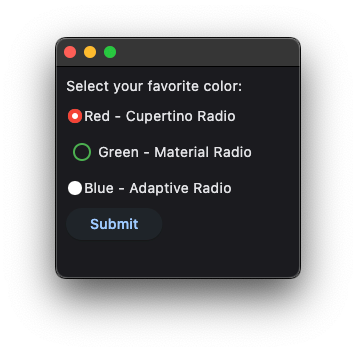
RadioGroup properties
value
Current value of the RadioGroup.
RadioGroup events
on_change
Fires when the state of the RadioGroup is changed.
CupertinoRadio properties
active_color
The color used to fill this radio when it is selected.
autofocus
True if the control will be selected as the initial focus. If there is more than one control on a page with autofocus set, then the first one added to the page will get focus.
fill_color
The color that fills the radio.
focus_color
The color for the radio's border when it has the input focus.
inactive_color
The color used to fill this radio when it is not selected.
Defaults to colors.WHITE.
label
The clickable label to display on the right of a Radio.
label_position
The position of the label relative to the radio.
Value is of type LabelPosition and defaults to LabelPosition.RIGHT.
toggleable
Set to True if this radio button is allowed to be returned to an indeterminate state by selecting it again when
selected.
Defaults to False.
use_checkmark_style
Defines whether the radio displays in a checkbox style or the default radio style.
Defaults to False.
value
The value to set to containing RadioGroup when the radio is selected.
CupertinoRadio events
on_blur
Fires when the control has lost focus.
on_focus
Fires when the control has received focus.