Row
A control that displays its children in a horizontal array.
To cause a child control to expand and fill the available horizontal space set its expand property.
Examples
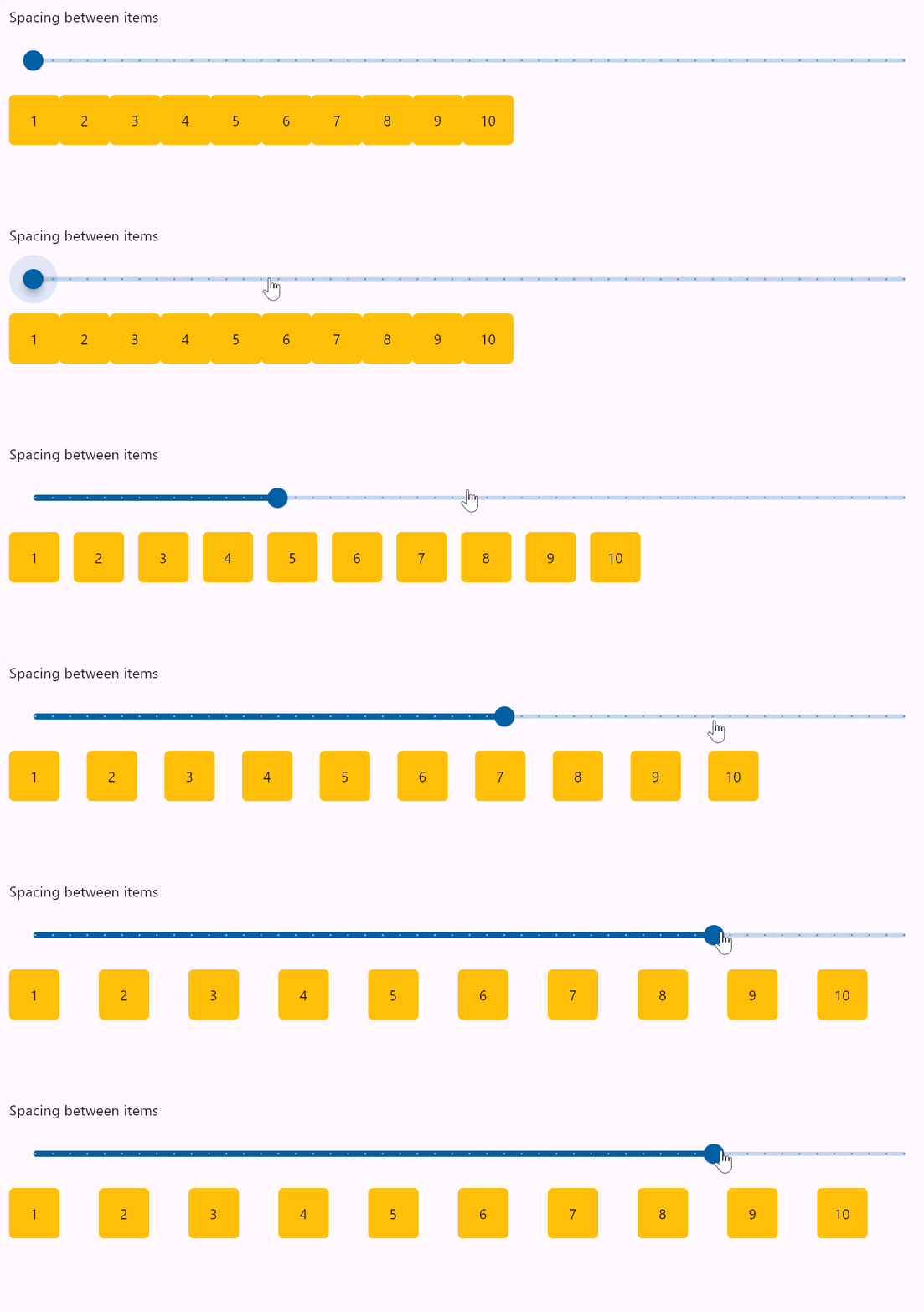
Row spacing
loading...
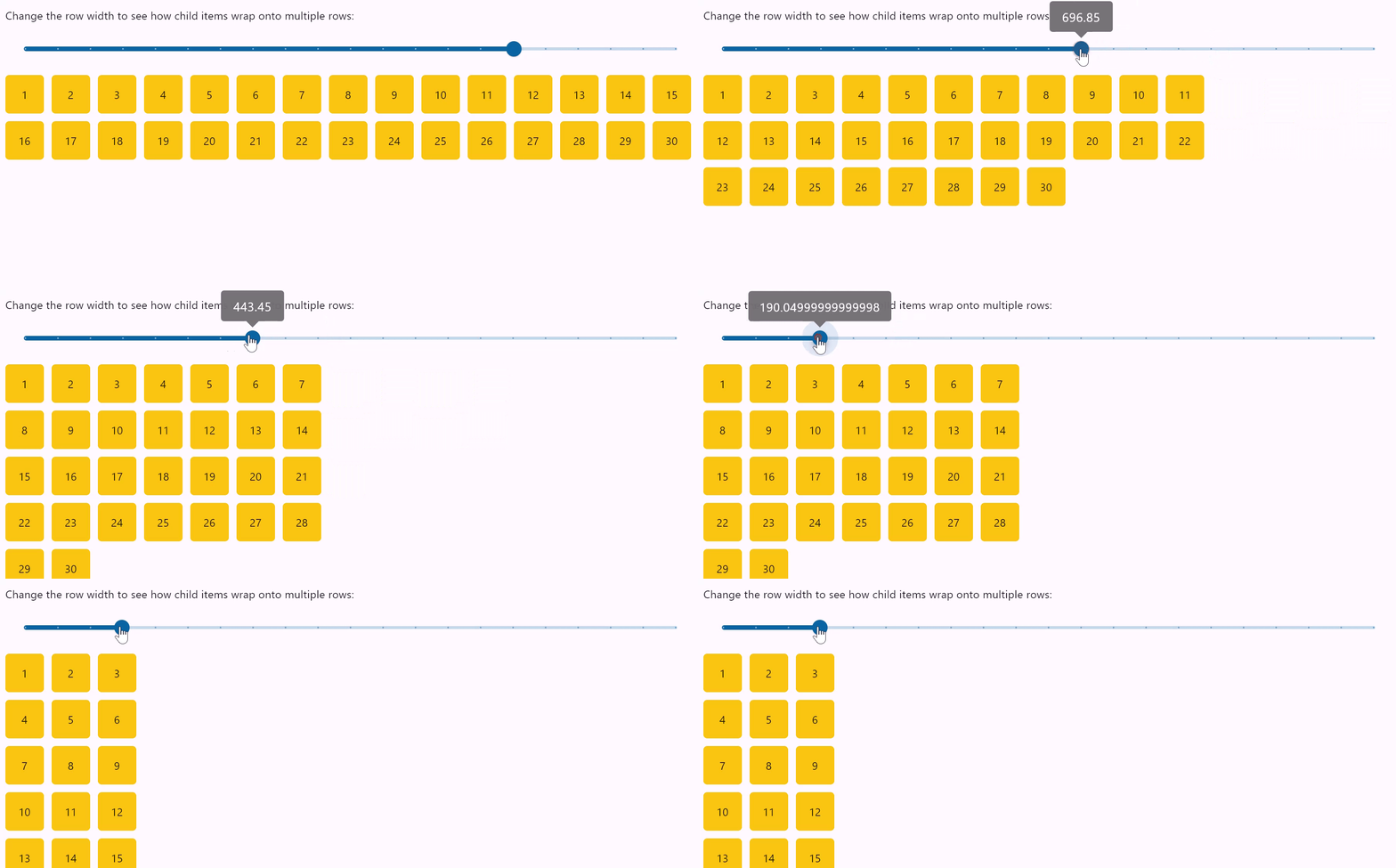
Row wrapping
loading...
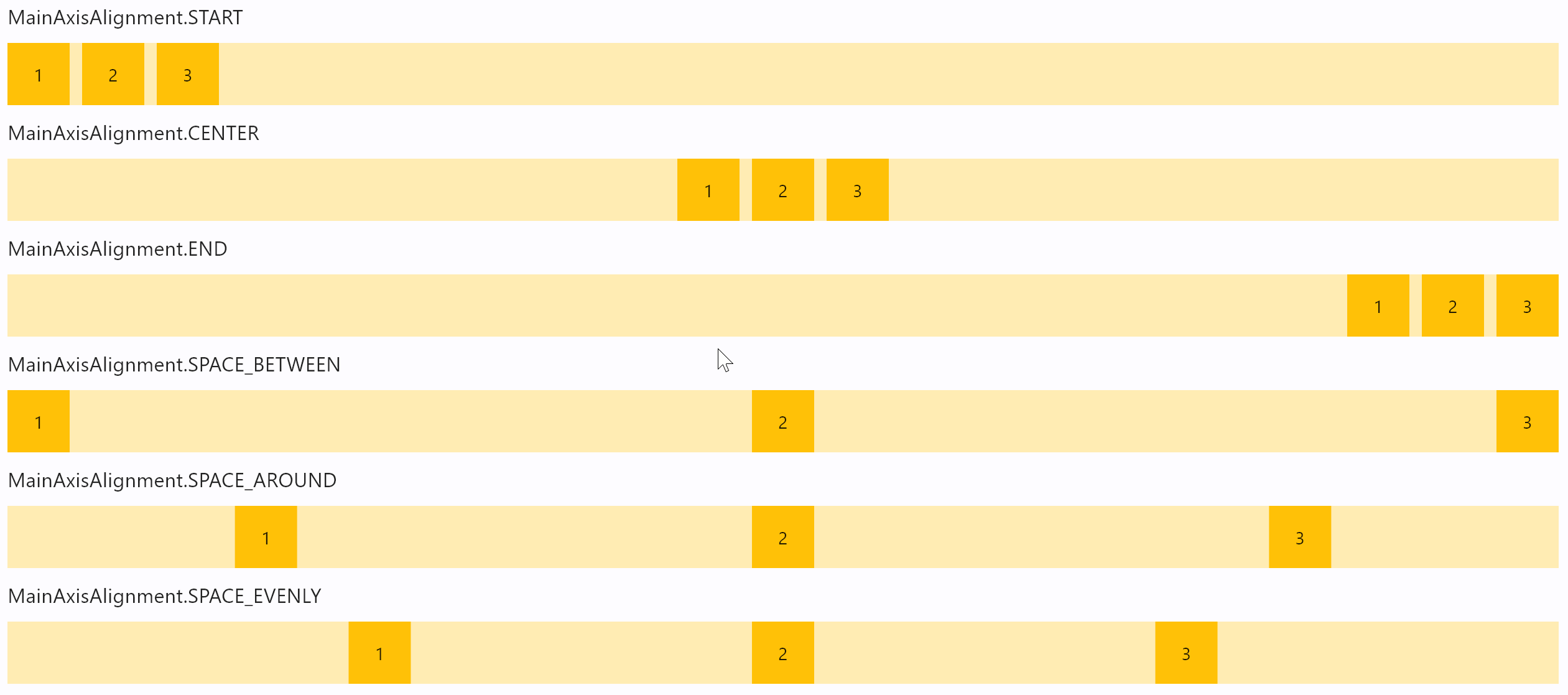
Row horizontal alignments
loading...
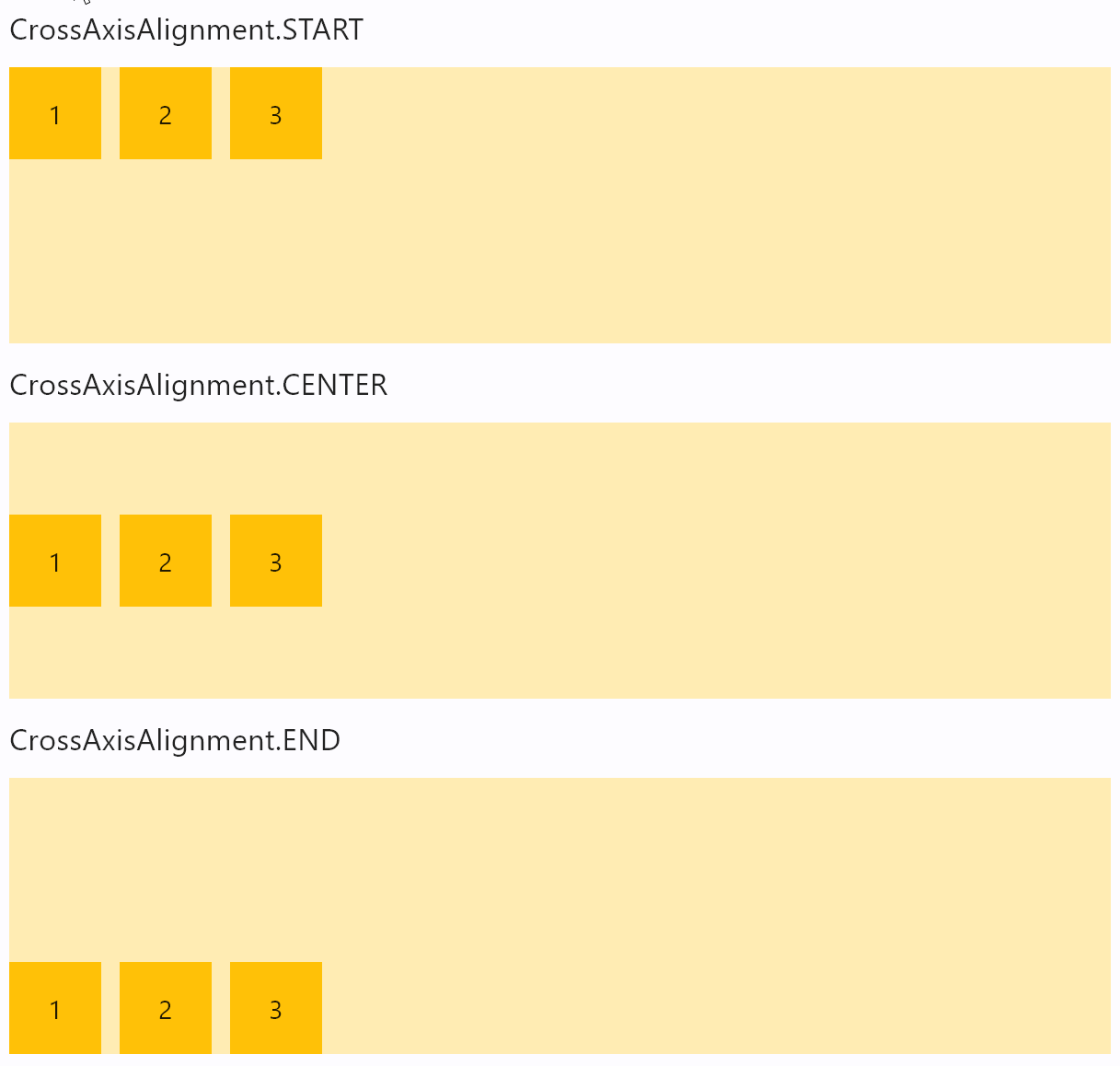
Row vertical
loading...
Properties
alignment
How the child Controls should be placed horizontally.
Value is of type MainAxisAlignment and defaults
to MainAxisAlignment.START.
auto_scroll
True if scrollbar should automatically move its position to the end when children updated. Must be False for scroll_to() method to work.
controls
A list of Controls to display inside the Row.
rtl
True to set text direction to right-to-left.
Defaults to False.
run_alignment
How the runs should be placed in the cross-axis when wrap=True.
Value is of type MainAxisAlignment and defaults to MainAxisAlignment.START.
run_spacing
Spacing between runs when wrap=True.
Defaults to 10.
scroll
Enables horizontal scrolling for the Row to prevent its content overflow.
Value is of type ScrollMode.
spacing
Spacing between controls in a row. Default value is 10 virtual pixels. Spacing is applied only when alignment is set
to MainAxisAlignment.START, MainAxisAlignment.END or MainAxisAlignment.CENTER.
on_scroll_interval
Throttling in milliseconds for on_scroll event.
Defaults to 10.
tight
Specifies how much space should be occupied horizontally.
Defaults to False, meaning all space is allocated to children.
vertical_alignment
How the child Controls should be placed vertically.
Value is of type CrossAxisAlignment and defaults
to CrossAxisAlignment.START.
wrap
When set to True the Row will put child controls into additional rows (runs) if they don't fit a single row.
Methods
scroll_to(offset, delta, key, duration, curve)
Moves scroll position to either absolute offset, relative delta or jump to the control with specified key.
See Column.scroll_to() for method details and examples.
Events
on_scroll
Fires when scroll position is changed by a user.
Event handler argument is an instance of OnScrollEvent class.
Expanding children
When a child Control is placed into a Row you can "expand" it to fill the available space. Every Control has expand property that can have either a boolean value (True - expand control to fill all available space) or an integer - an "expand factor" specifying how to divide a free space with other expanded child controls. For example, this code creates a row with a TextField taking all available space and an ElevatedButton next to it:
r = ft.Row([
  ft.TextField(hint_text="Enter your name", expand=True),
  ft.ElevatedButton(text="Join chat")
])
The following example with numeric expand factors creates a Row with 3 containers in it and having widths of 20% (1/5), 60% (3/5) and 20% (1/5) respectively:
r = ft.Row([
  ft.Container(expand=1, content=ft.Text("A")),
  ft.Container(expand=3, content=ft.Text("B")),
  ft.Container(expand=1, content=ft.Text("C"))
])
In general, the resulting width of a child in percents is calculated as expand / sum(all expands) * 100%.
If you need to give the child Control of the Row the flexibility to expand to fill the available space horizontally but not require it to fill the available space, set its expand_loose property to True.