BottomSheet
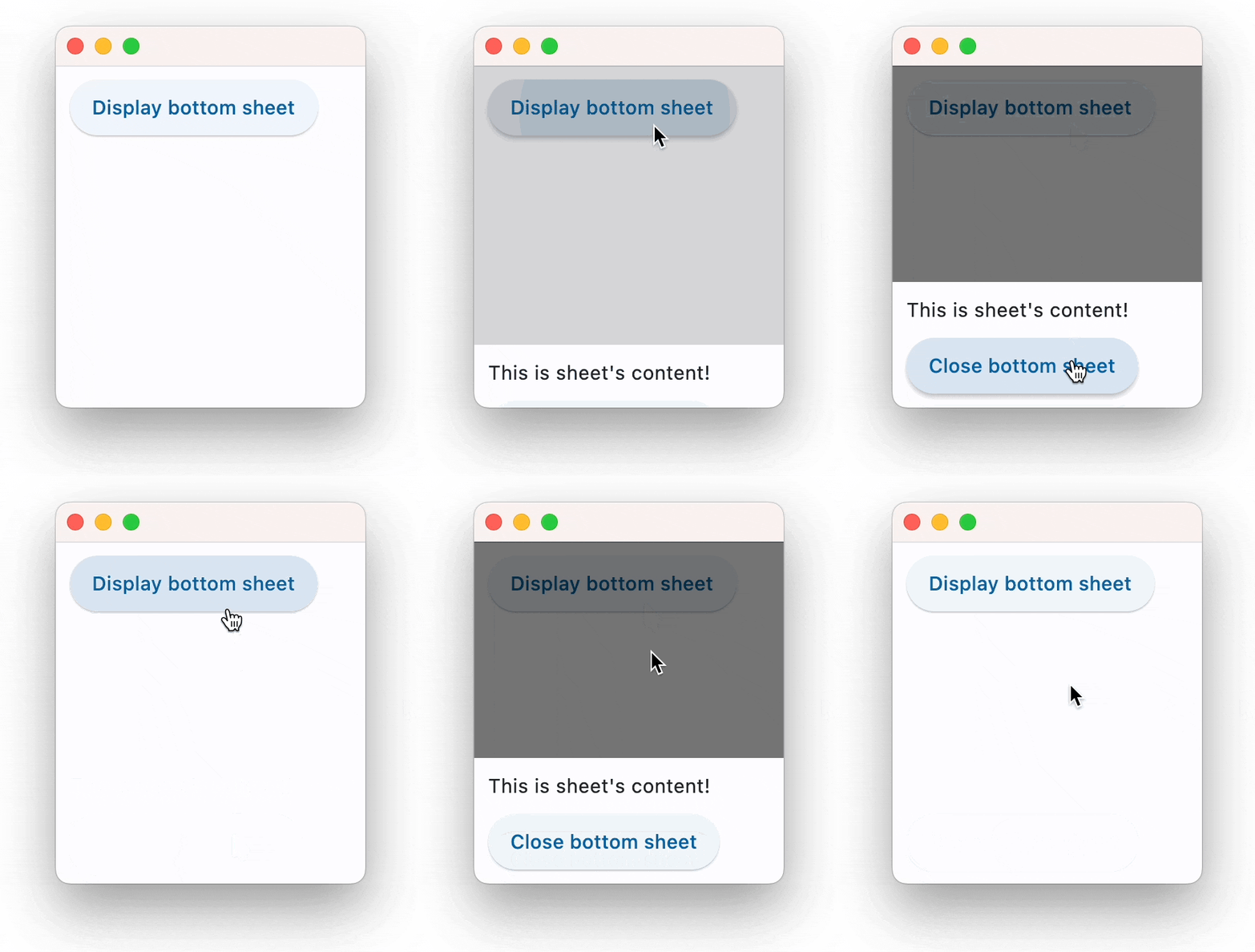
Shows a modal Material Design bottom sheet.
A modal bottom sheet is an alternative to a menu or a dialog and prevents the user from interacting with the rest of the app.
To open this control, simply call the page.open() helper-method.
Examples
Simple BottomSheet
loading...
Properties
animation_style
The sheet's animation style.
Value is of type AnimationStyle.
bgcolor
The sheet's background color.
clip_behavior
The sheet's clip behavior.
Value is of type ClipBehavior.
content
The content Control of the bottom sheet.
dismissible
Specifies whether the bottom sheet will be dismissed when user taps on the scrim.
enable_drag
Specifies whether the bottom sheet can be dragged up and down and dismissed by swiping downwards.
elevation
Controls the size of the shadow below the BottomSheet.
Defaults to 0.0.
is_scroll_controlled
Specifies if the bottom sheet contains scrollable content, such as ListView or GridView.
Defaults to False.
maintain_bottom_view_insets_padding
Adds a padding at the bottom to avoid obstructing bottom sheet content with on-screen keyboard or other system elements.
open
Set to True to display a bottom sheet.
Defaults to False.
shape
Defines the shape of the bottom sheet.
Value is of type OutlinedBorder.
show_drag_handle
Whether to display drag handle at the top of sheet or not.
size_constraints
The size constraints to apply to the bottom sheet.
Value is of type BoxConstraints.
use_safe_area
Specifies whether the sheet will avoid system intrusions on the top, left, and right.
Defaults to False.
Events
on_dismiss
Fires when bottom sheet is dismissed.