TextTheme
Customizes Text styles.
Material 3 design defines 5 groups of text styles with 3 sizes in each group: "Display", "Headline", "Title", "Label" and "Body" which are used across Flet controls.
TextTheme class has the following properties:
body_large
Largest of the body styles. Body styles are used for longer passages of text.
Value is of type TextStyle.
body_medium
Middle size of the body styles. Body styles are used for longer passages of text. The default text style for Material.
Value is of type TextStyle.
body_small
Smallest of the body styles.
Value is of type TextStyle.
display_large
Largest of the display styles. As the largest text on the screen, display styles are reserved for short, important text or numerals. They work best on large screens.
Value is of type TextStyle.
display_medium
Middle size of the display styles.
Value is of type TextStyle.
display_small
Smallest of the display styles.
Value is of type TextStyle.
headline_large
Largest of the headline styles. Headline styles are smaller than display styles. They're best-suited for short, high-emphasis text on smaller screens.
Value is of type TextStyle.
headline_medium- Middle size of the headline styles.headline_small- Smallest of the headline styles.
Value is of type TextStyle.
label_large
Largest of the label styles. Label styles are smaller, utilitarian styles, used for areas of the UI such as text inside of components or very small supporting text in the content body, like captions. Used for text on ElevatedButton, TextButton and OutlinedButton.
label_medium
Middle size of the label styles.
Value is of type TextStyle.
label_small
Smallest of the label styles.
Value is of type TextStyle.
title_large
Largest of the title styles. Titles are smaller than headline styles and should be used for shorter, medium-emphasis text.
Value is of type TextStyle.
title_medium
Middle size of the title styles.
Value is of type TextStyle.
title_small
Smallest of the title styles.
Value is of type TextStyle.
Examples
import flet as ft

def main(page: ft.Page):
    page.theme = ft.Theme(
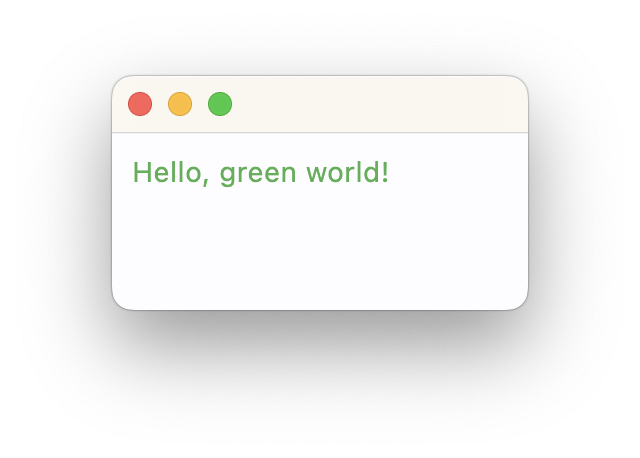
        text_theme=ft.TextTheme(body_medium=ft.TextStyle(color=ft.Colors.GREEN))
    )

    page.add(ft.Text("Hello, green world!"))  # Text uses Body Medium style by default

ft.app(main)